
SEO Guide for Beginners
Your simple step by step guide to understanding SEO and improving your website. No jargon. No fluff. Just clear actions.
1. Understanding SEO
SEO means helping search engines find your pages and helping users get fast answers. You focus on two things, search behaviour and website quality.
2. How search engines work
Search engines crawl pages, process content, and rank results based on relevance. Your goal is to make your content easy to find, easy to understand, and easy to trust.
3. Keywords
- Pick simple phrases your audience searches for.
- Look at search volume and difficulty.
- Use natural language in headings and paragraphs.
4. Technical SEO
- Fast load times using compression and caching.
- Mobile friendly layout with clear spacing.
- Clean URLs and a working sitemap.
- No broken links or duplicate pages.
Free digital marketing starter pack
If you want a simple way to apply the basics covered in this guide, download the free starter pack with checklists and templates.

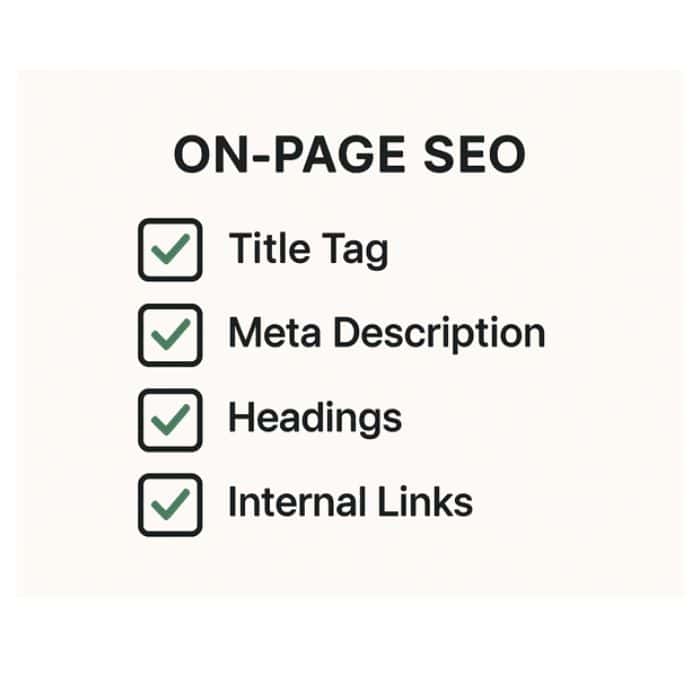
5. On page SEO
You improve how each page reads and works for search engines. You focus on structure, clarity, and helpful information.
Headings
- Use one H1 per page.
- Use H2s for main sections.
- Use H3s for smaller points inside a section.
Keyword placement
- Place your main keyword in the first 100 to 150 words.
- Use it in one H2.
- Use related phrases in the rest of the content.
External links
Use trusted sources to back up what you say. Link out only when it helps the reader understand something clearly.
Internal links
Use links to guide people to useful parts of your site. Keep them relevant and easy to follow.
- Link to your related guides.
- Link to your services when it makes sense.
- Link to tools or resources that help the reader.
Images
- Use an image every few sections to break things up.
- Compress images before you upload them.
- Give each file a clear name like dba-onpage-example.png.
- Write simple alt text that tells people what the image shows.

Example layout
- Start with a short intro.
- Add a clear H2 for the topic.
- Use a short list of actions.
- Add one helpful image.
- Link to a related guide such as SEO tips.
- Use an external source when useful, for example Google’s SEO Starter Guide.
Quick actions
- Check your H1 is clear and matches the topic.
- Add one new internal link to a useful page such as AI and digital tools.
- Compress any older images on the page.
- Rewrite one paragraph so it reads clearer and faster.
6. Content quality
Your content works well when it answers questions clearly. You focus on helping the reader and matching what they expect to find.
Match search intent
Good content answers the question the visitor had in mind when they clicked. You think about what they want to do on the page.
- Informational intent: they want a clear answer or guide.
- Commercial intent: they are comparing options or prices.
- Transactional intent: they are ready to book or buy.
Make sure your title, intro, and main sections match that intent. If the page is a how-to guide, focus on steps, not sales. If it is a service page, focus on outcomes and how to get started.
For more ideas on what people expect, you can look at your own page like Small business marketing and the top Google results for your main keyword.
Write for real people
Good SEO content feels simple and human. You write like you are talking to one person who needs your help.
- Use short sentences and plain language.
- Avoid jargon unless you explain it.
- Cut any filler that adds no value.
- Give examples so people can see how it works.
If a section feels heavy, break it into smaller paragraphs or add a list. You can see this style in your own guides, such as AI and digital tools.
For extra ideas on readable content you can look at NNG writing for the web.
Use a clear structure
People scan pages fast. A clear structure helps them find what they need without effort.
- Start with a short intro that explains the point of the page.
- Use H2s to break the page into clear topics.
- Use H3s to split bigger topics into smaller points.
- Keep paragraphs short and focused.
Look at how your Useful tools page is laid out. Each part has a clear header and simple actions. This makes it e
Keep content fresh
Search engines prefer content that stays accurate. Update your pages when tools, prices, or advice change.
- Add new examples when something changes.
- Remove anything that is no longer correct.
- Update links if a source moves or improves.
- Check your own guides once every few months.
You can use pages like Essential resources as simple places to add new tools or remove older ones. This keeps your site in good shape without a full rewrite.
Use helpful images
- Add an image every few sections to break up the page.
- Use screenshots or simple graphics when they explain something.
- Keep file sizes small for faster loading.
- Write alt text that describes the image in a clear, natural way.
You can create simple graphics in Canva for guides like this. Keep your style consistent, similar to the images used on your AI and digital tools page.

Quick actions
- Rewrite one paragraph so it reads clearer.
- Add a missing H2 or H3 to improve structure.
- Add one internal link to a useful page like Small business marketing.
- Replace an old screenshot or outdated example.
7. User experience
Good UX helps people stay on your page and find what they need without effort. Clear layout and simple actions make a big difference.
Readable pages
- Keep paragraphs short so people can scan the page fast.
- Use lists when you are explaining steps or options.
- Add spacing between sections to avoid a crowded layout.
- Use simple language that anyone can follow.
You can look at your Useful tools page for a simple layout that is easy to scroll through. This style works well on mobile and helps visitors stay longer.
Mobile experience
Most of your visitors will use a phone. Your content needs to work well on smaller screens.
- Avoid long blocks of text that look heavy on mobile.
- Use rows with one column so elements stack cleanly.
- Keep images narrow and compressed.
- Test your page on your own phone before publishing.
You can compare this with your AI and digital tools page which already loads clean and fast on mobile.
Clear actions
Each page should tell the visitor what to do next. Keep your actions simple and easy to spot.
- Use short button text like Contact me or Get started.
- Place one main action near the top of the page.
- Add another action near the end if the page is long.
- Link to helpful pages when they offer more detail.
You can see this pattern on your Web design page. It shows the next step clearly without pushing too hard.
Trust signals
Small details help visitors feel confident about you and your site.
- Use a clean About page with your name and a short story.
- Add a few testimonials or quotes from real clients.
- Show your location and contact details clearly.
- Use honest language that matches your tone across the site.
Your About me page already sets the tone well. Keep this style across your guides and service pages so the site feels consistent.
Use simple images
- Add images that explain a point or show an example.
- Keep them light so the page loads fast.
- Use the same style across the whole guide.
- Write clear alt text so the image makes sense to everyone.
You can create matching graphics in Canva. Use the same colours and layout you used for your SEO tips guides page so everything feels connected.

Quick actions
- Check your page on your phone and fix anything that feels awkward.
- Add one new internal link to a helpful page like Essential resources.
- Reduce any long paragraphs to shorter, clearer lines.
- Move one key action or button higher on the page.
8. Off page SEO
Off page SEO looks at signals outside your website. These signals help search engines trust your site and place it higher in results.
Backlinks
Backlinks are links from other websites to yours. They show search engines that your content is worth visiting.
- You do not need hundreds of links.
- A few links from trusted sites help more than many weak ones.
- Links should point to useful pages on your site, not just the homepage.
- Avoid buying links. They cause problems later.
If you create clear guides like this one, you will earn links naturally over time.
How to earn backlinks
- Create simple guides that people want to share.
- Write checklists that other sites can reference.
- Publish short how to posts that answer clear questions.
- Share useful tools, templates, or resources.
- List your site in trusted UK directories.
You can link to your own helpful pages like Useful tools when offering resources. It gives people a reason to link back.
Local listings
Local listings help people find your business and improve trust signals for search engines.
- Set up and complete your Google Business profile.
- Add your business to trusted UK directories.
- Keep your name, address, and phone number the same everywhere.
- Update your listing when your services or hours change.
You can link people to a simple tool page like Discover when sharing local tools or resources.
Social signals
Social activity does not replace SEO, but it helps search engines see that people engage with your content.
- Share your guides on your social pages.
- Add links back to your site in your profiles.
- Post short tips that point to useful pages.
- Keep a clear link to your website on every platform you use.
Pages like Small business marketing are ideal for sharing on social because they offer quick and practical tips.
Brand mentions
Search engines notice when other sites mention your name even if they do not link to you. These small signals help build trust over time.
- Get mentioned in local blogs or community sites.
- Join simple business directories with a short profile.
- Share helpful answers in online groups when allowed.
- Keep your business name consistent everywhere you use it.
You can point people to pages like About me when talking about your background or services. It helps reinforce your brand story.
Use simple images
- Add one image to show how off page SEO works.
- Keep the style matching the earlier sections.
- Use small file sizes so the page loads fast.
- Write clear alt text that explains the image.
You can create a quick graphic in Canva that shows backlinks, mentions, and listings. This helps readers see the idea at a glance.

Quick actions
- Add your site to one trusted UK directory.
- Share one useful page on your social channels.
- Update or complete your Google Business profile.
- Add one internal link to a related page like SEO tips guides.
9. Local SEO
Local SEO helps your business appear when people search for services in your area. It focuses on your location, your reputation, and the details you share online.
Google Business
Your Google Business profile helps people find you on Maps and local search results. A complete profile builds trust and brings more visitors.
- Add your address, phone number, and hours.
- Pick the right category for your service.
- Upload simple photos of your work or setup.
- Reply to reviews when possible.
You can link customers to pages like Contact when they want to reach you directly.
Local keywords
Local keywords help you show up for searches in your town or nearby areas. They tell search engines where you are based and who you help.
- Add your town or city in key places like titles and headings.
- Use nearby area names when they make sense.
- Keep your wording natural so it reads well.
- Use the same place names across your site to stay consistent.
You can look at pages like Web design Widnes for a simple example of a local focus.
Citations
Citations are mentions of your business on trusted sites. They help search engines confirm your details are correct.
- Use the same name, address, and phone number everywhere.
- Add your business to a few respected UK directories.
- Avoid cheap directories that look spammy.
- Update your details if you move or change number.
You can link people to helpful pages like Discover when sharing tools for local SEO.
Reviews
Good reviews help people trust you. They also help your local rankings because search engines see your business as active and reliable.
- Ask happy customers to leave a quick review.
- Reply politely to reviews when you can.
- Do not offer rewards for reviews. It breaks the rules.
- Keep your tone friendly and honest.
You can direct people to your About me page if they want to know more about you before they leave feedback.
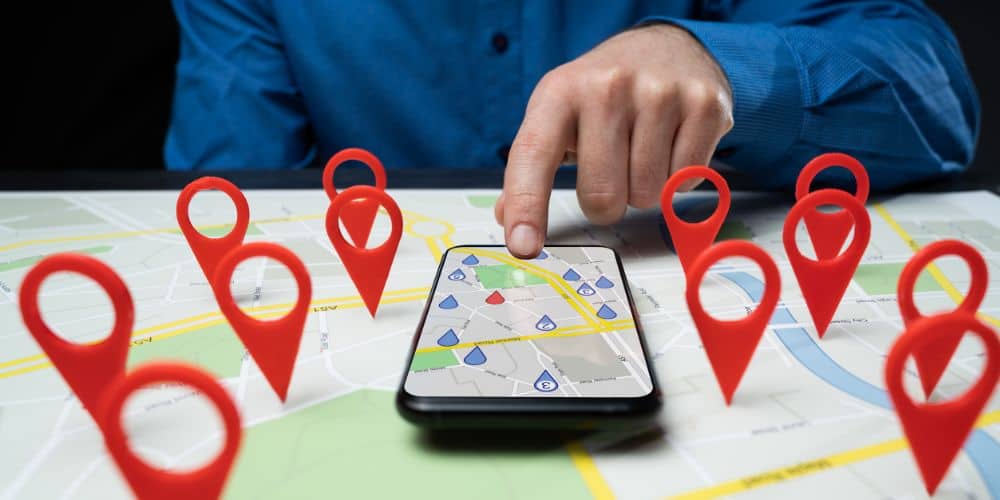
Use clear images
- Add one image that explains how local SEO works.
- Keep the style the same as the earlier sections.
- Use small file sizes for faster loading.
- Write alt text that describes the image in a clear way.
A simple graphic works well here, such as a map pin or a short flow showing how people find you in local search.
Quick actions
- Update your Google Business profile with a fresh photo.
- Add your business to one trusted UK directory.
- Check your name, address, and phone number match across the web.
- Add an internal link to a related page like Small business marketing.
10. SEO routine
SEO works best when each part supports the others. Small and steady improvements build a strong website over time.
Weekly routine
A short routine helps you keep your site healthy without feeling overwhelmed.
- Update one page with clearer text.
- Add one internal link to a useful page like Discover.
- Check your site on your phone for any layout issues.
- Share one guide on your social pages.
Monthly routine
A monthly check helps you spot bigger issues before they grow.
- Review your most visited pages.
- Update screenshots or outdated examples.
- Add a new section to a guide if something has changed.
- Check backlinks using free tools when possible.
You can also explore your own tools page at AI and digital tools if you want ideas for improving your workflow.
Quarterly routine
Every few months you can take a wider look at your site and tidy up anything that has slipped through.
- Check for broken links.
- Remove or update old content that no longer helps users.
- Review your keyword focus and update headings if needed.
- Add a new helpful page or guide when you have the time.
You can use pages like Essential resources to store tools or links that support your process.
Use a clear image
- Add one image that shows weekly, monthly, and quarterly steps.
- Keep the style the same as earlier images.
- Use a small file size for fast loading.
- Write alt text that explains what the image shows.
A simple graphic works well here, such as a three step layout that shows weekly, monthly, and quarterly checks.

Quick actions
- Update one page today with clearer text.
- Add one internal link to a helpful page like SEO tips guides.
- Compress any large images you missed before.
- Share one guide on your social pages.
11. Final thoughts
SEO feels big at first, but small steps make real progress. Clear content, simple structure, and regular updates take you a long way.
What matters most
- Write clear content that helps people.
- Keep your pages easy to read on any device.
- Add useful links across your site.
- Update things when they change.
If you follow these steps, your site will stay healthy and useful over time.
Where to go next
You can build on this guide by exploring other parts of your site.
- For useful tools see Discover.
- For marketing ideas see Small business marketing.
- For simple digital skills see AI and digital tools.
These pages support your SEO work and help you keep improving your site.
Keep it simple
You do not need to learn everything at once. Focus on small, steady improvements. Your site will grow, your content will improve, and your search results will follow.
If you ever feel stuck, look back at this guide. It gives you clear steps you can use at any stage.